
Youforce
HR & payroll platform
The platform
Youforce is the HR and payroll platform of Visma | Raet. Employers, HR professionals, managers and employees use it for their payroll administration and HR processes. I worked on several products within the platform. The first one below is HR Cycle.
HR Cycle
A conversation first, a form second
What the research showed
HR Cycle replaces an older product called Learning Management. User research showed that it did not close the gap its users actually had, so people worked around it. The yearly conversations were written down in Word documents or on paper in the office.
These conversations are mandatory, but the people having them did not want to do them. That set the goal for the whole product: make something people have to do as easy as possible.
The strategy
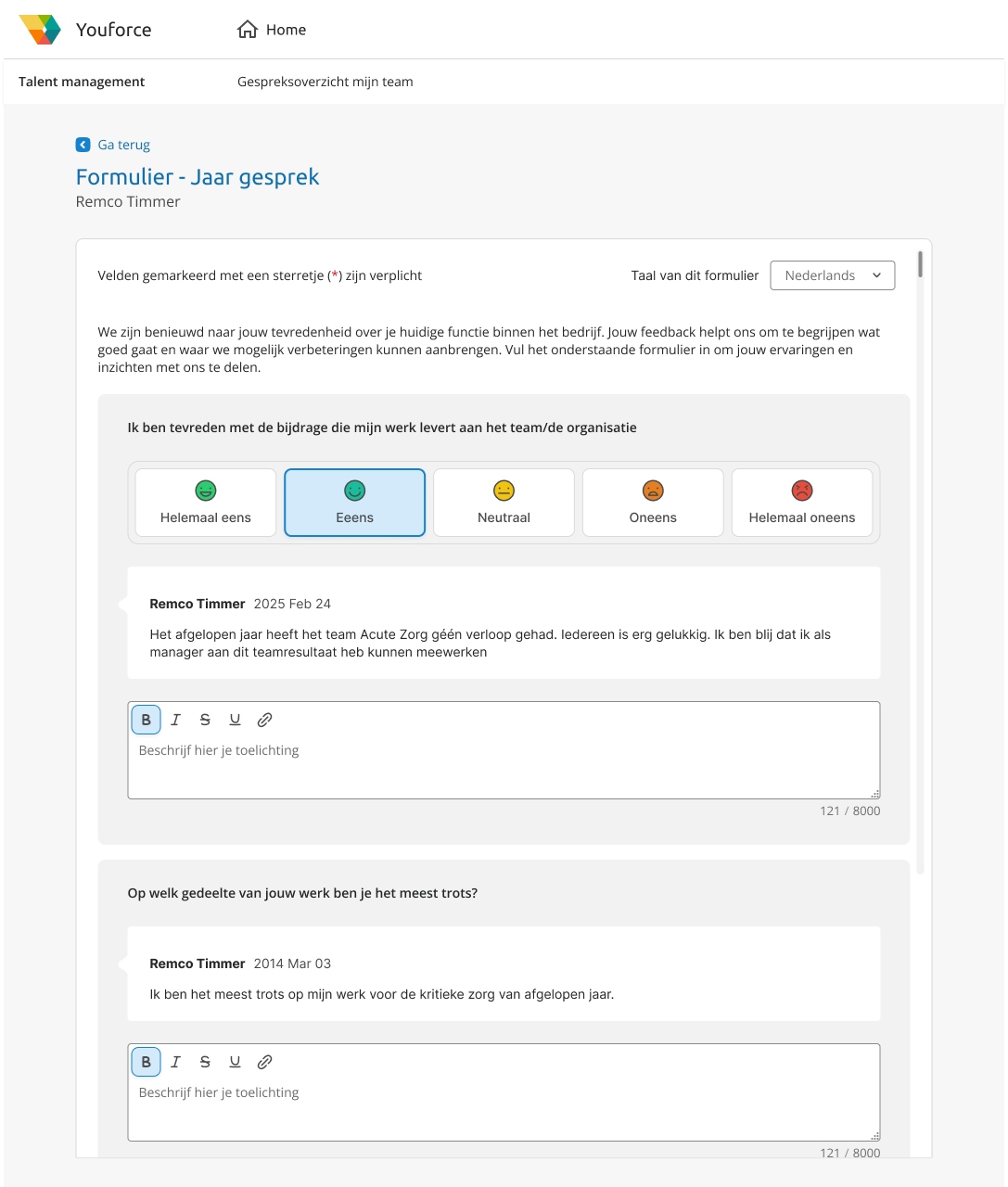
The conversation is the most important part, not the form around it. Everything in the product is built to keep the attention on the people talking to each other.
So HR Cycle became a form builder that is simple to build and simple to configure. HR administrators get the flexibility to shape their own cycle, without the product turning into a configuration project.
Mobile and desktop
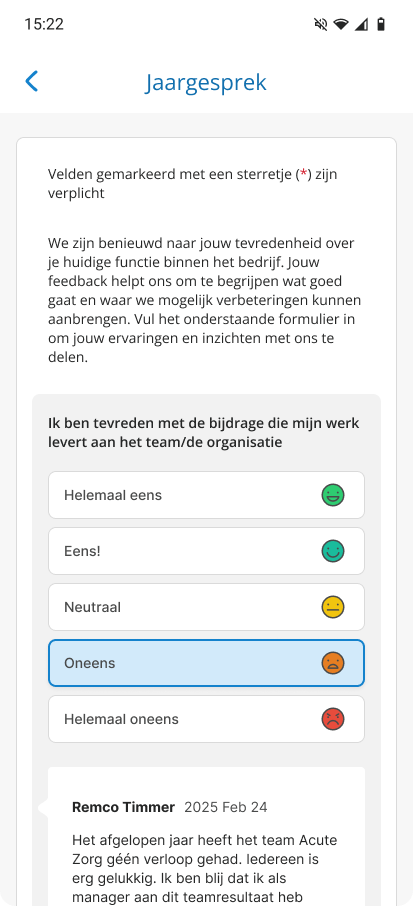
The product was designed for mobile as well as desktop, so a form can be filled in on the move instead of back at a desk.
Healthcare is where this pays off most. Those teams are rarely behind a computer, so filling in a form on a phone while on the move fits their day better than sitting down at a desk for it.
The admin side
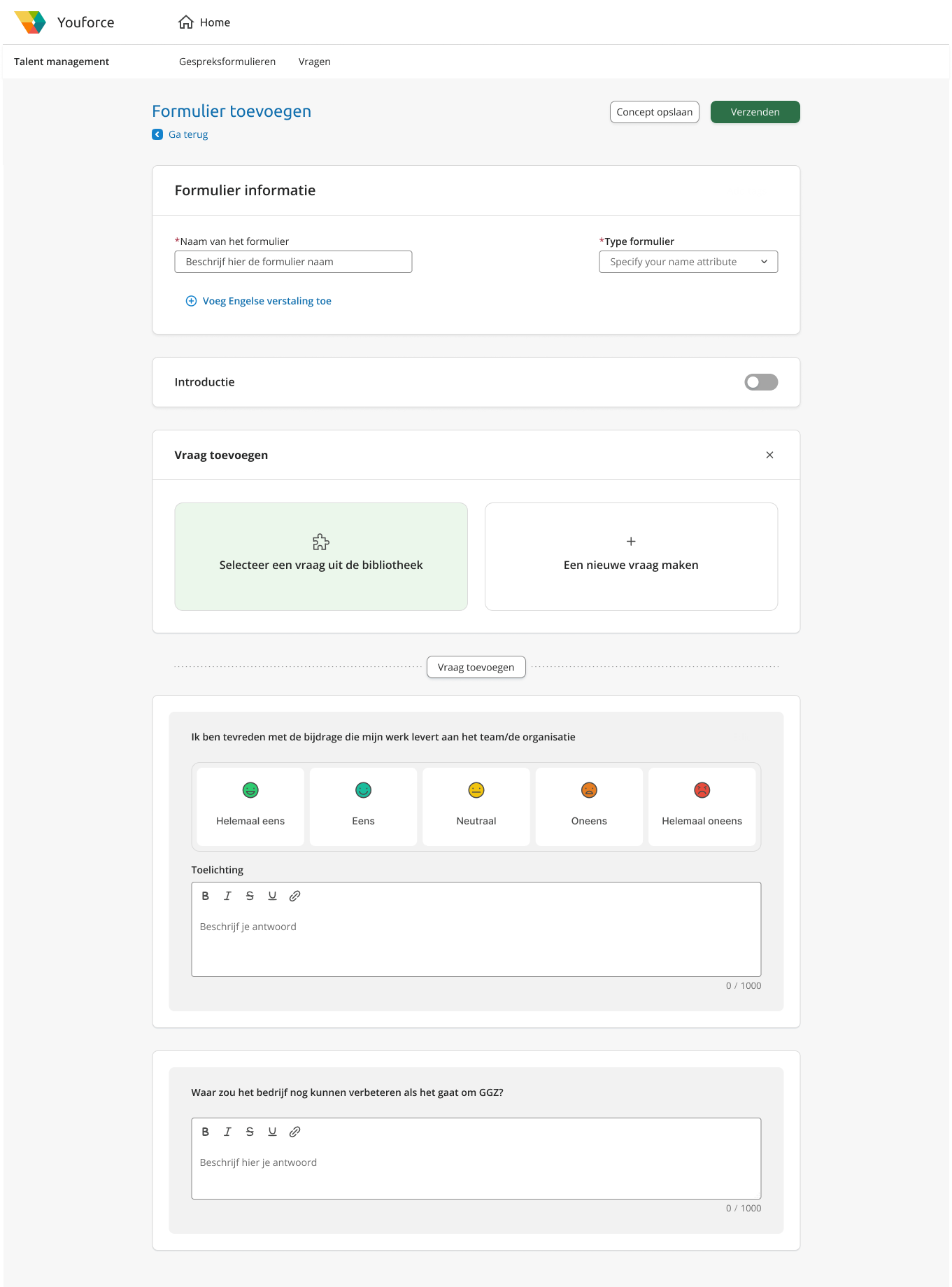
HR administrators build the forms themselves. We looked closely at Google Forms and the Microsoft tools while designing this part. The research told us this user group already works with those products and understands them, so borrowing patterns they recognise meant far less to explain.
The screen is a general information section at the top, with one section per question below it. Every question is shown the way the employee will see it, so an administrator can tell what they are making without a separate preview mode.
Scoping for a deadline
The old product was being sunset, and that date set our deadline. For the first phase we descoped a lot to make it.
The section per question was the decision that made this affordable. It gave us room to add removing and repositioning questions in a later stage, without having to redraw the page.
A question library
Every question an administrator writes is kept in a library. They can pick it up again in another form instead of writing the same question twice.
360 degree feedback
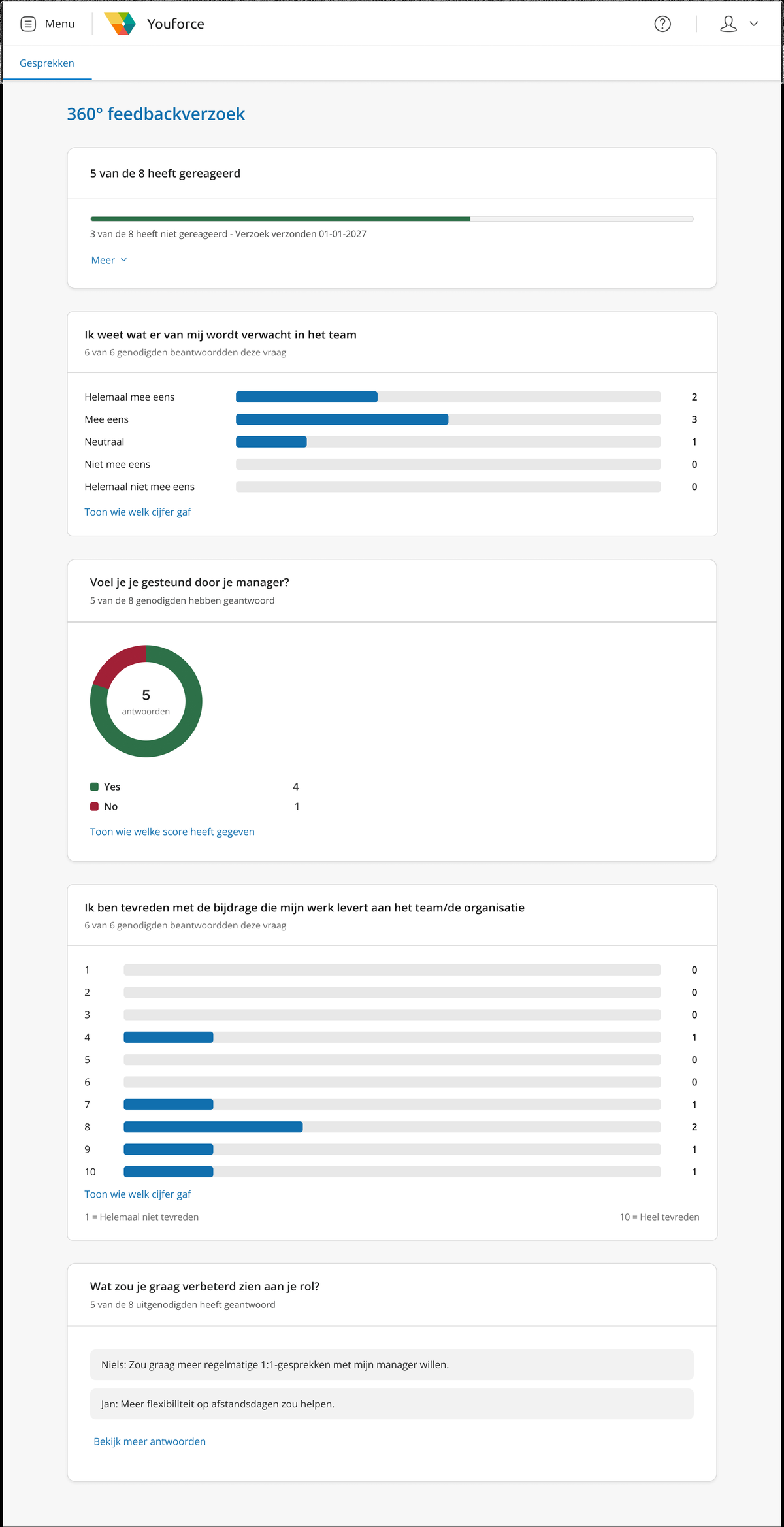
We also introduced 360 degree feedback. Next to the conversation itself, an employee can ask several people around them for feedback, so the conversation is based on more than one point of view.
The result view shows how many of the people asked have answered, then the answers per question. The screenshot shows the question types side by side: a five point scale as a bar chart, a yes or no question as a ring, a ten point score, and the open answers below them.
Reporting
Administrators create the forms and the questions themselves, and the answers are available in reporting. Overviews are built with Power BI. Reporting shipped in the first release, even though a lot else was descoped to make the deadline.
How much the reporting can show depends on the question types. Two point questions, five point questions and scoring questions all return values, so an administrator who wants more data in view can lean on those rather than open text.
More cases
Pick the next one, or see them all
VISMA Visionplanner
User Experience design & Designsystems
Agrovision
Product Design & Big data
VSM Automatisering
UX research and UI design